

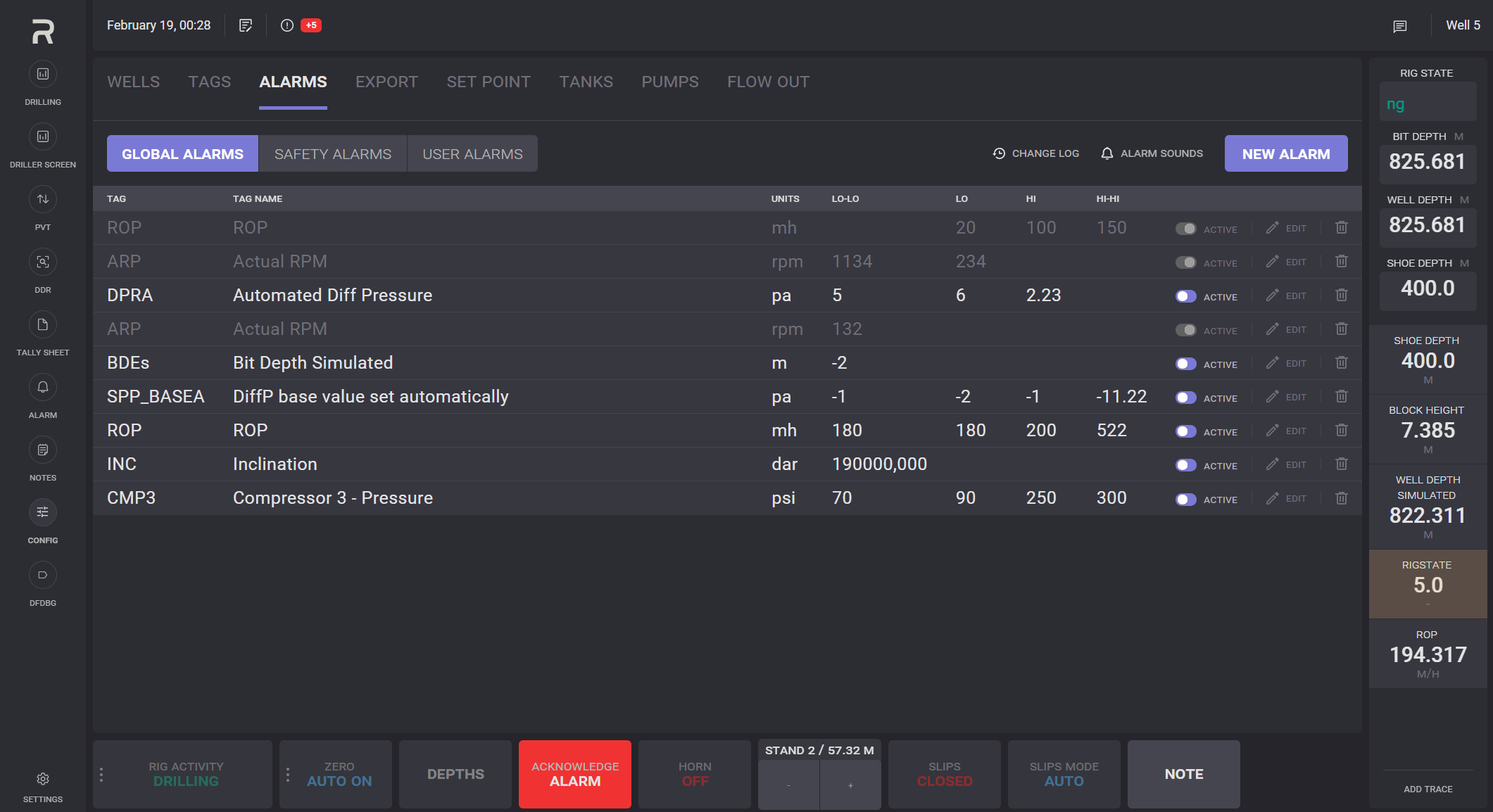
The lists of all types of alarms can be viewed and managed on the Alarms tab. There are three types of alarms: Global, Safety and User Alarms.
Global alarms visible to any user group and can be set up by the Driller or Rig Managers. When a global alarm is triggered, it will be triggered to all workstations. It also transmits to any horns connected to the EDR Network.
Global alarm can be created, edited, enabled/disabled, removed and acknowledged by Driller or Rig Manager.
Safety Alarms is triggered when there is an immediate risk to the safety of workers.
Safety alarm can be acknowledged by Driller or Rig Manager and visible and triggered to all users.
User Alarms are visible only on the local workstation. Each Worker can set up User alarms for different reasons that only affect their operation needs and not visible to other users working on other workstations.
User alarm can be created by a user from any user group, but it can be edited, enabled/disabled, removed and acknowledged only by users from the same user group as the alarm creator.
New Alarm
To create an alarm, click on the NEW ALARM button.
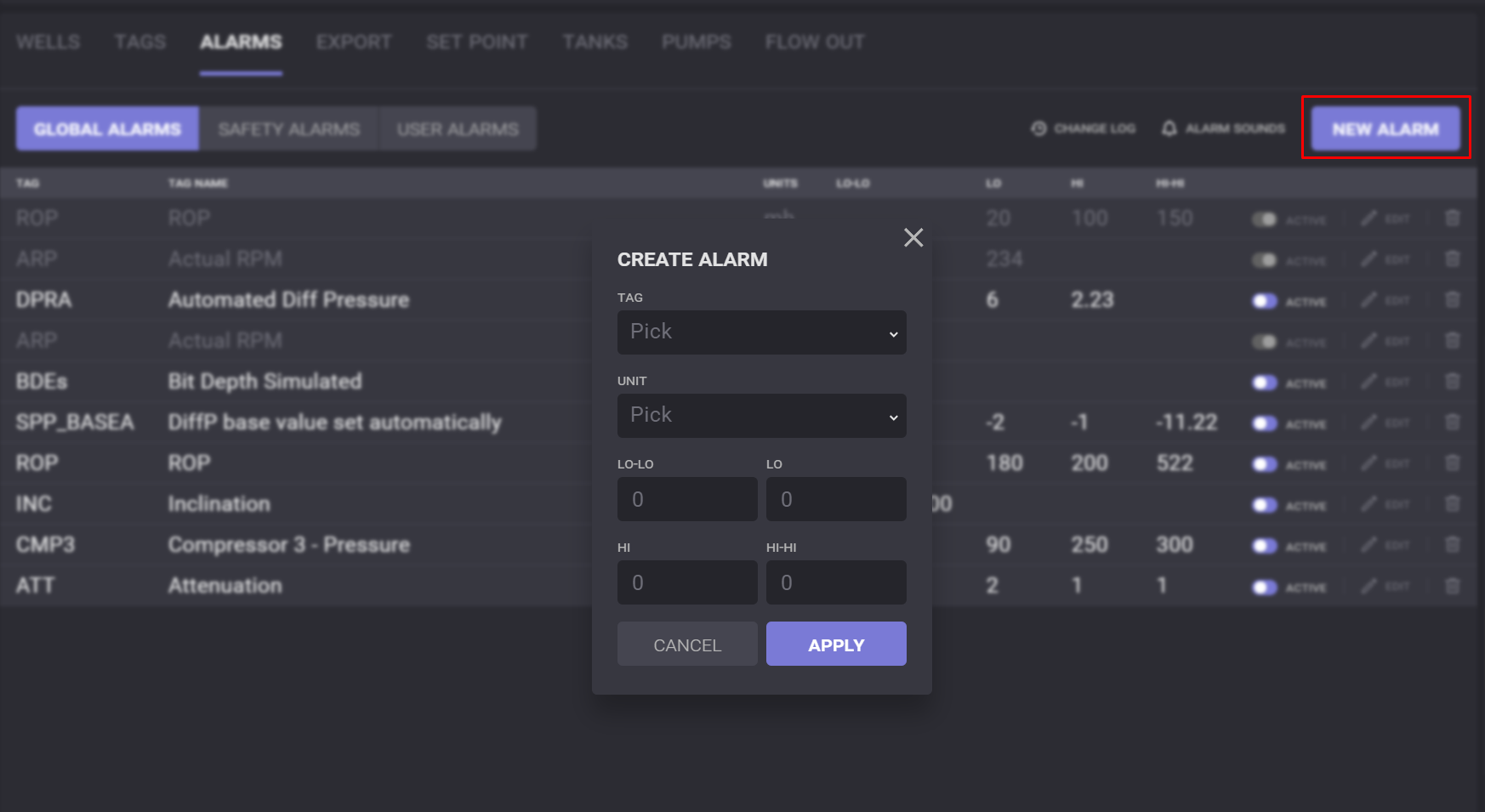
In the opened Create Alarm dialog, select the tag from the drop-down list for the alarm to be triggered, and define the unit of the values and edge values for the alarm.
There are four values that can be specified:
-
Alarm LoLo - if the parameter is lower than this value, its legend will be highlighted with red color on the chart;
-
Alarm Lo - if the parameter is lower than this value, its legend will be highlighted with yellow color on the chart;
-
Alarm HiHi - if the parameter is higher than this value, its legend will be highlighted with red color on the chart;
-
Alarm Hi - if the parameter is higher than this value, its legend will be highlighted with yellow color on the chart.
After clicking on the Apply in the Create Alarm dialog, a new alarm will be added to the list.
Edit alarm
To change parameters of the existing alarm, click on the edit option next to it. In the opened Edit Alarm dialog, modify parameters and click on the Apply button.
Alarms can be disabled/enabled by the toggle next to it. 
The alarm rule can be removed by clicking on Delete icon 
Alarm Sounds
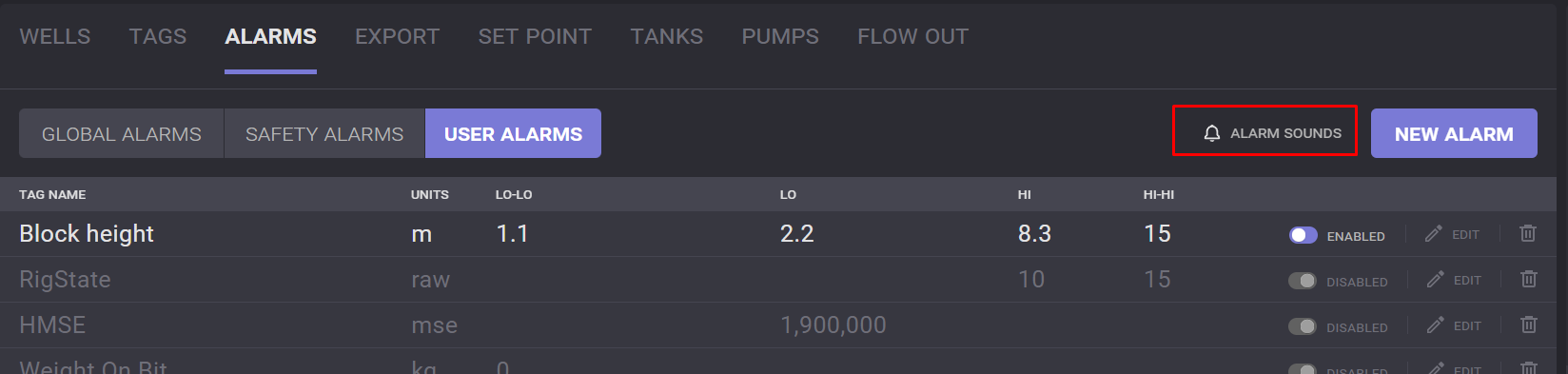
The sound to inform that the alarm is triggered can be set up in Config → Alarms. The sounds for User alarms, Global alarms and Safety alarms can be different. To define the sound, click on the Alarm Sounds option.
In the opened Set Alarms Sound dialog one of the sounds can be selected. Click on the field expands the drop-down list with available sounds. Selected sound can be listened up by clicking on the Play button. Lo Lo/Hi Hi and Lo/Hi alarms can have different sounds.
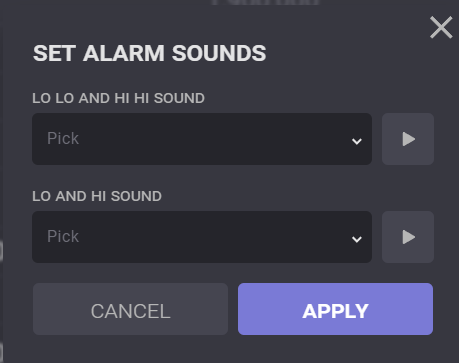
Click on the Apply button will set the selected sound on the alarms.