

Block heights
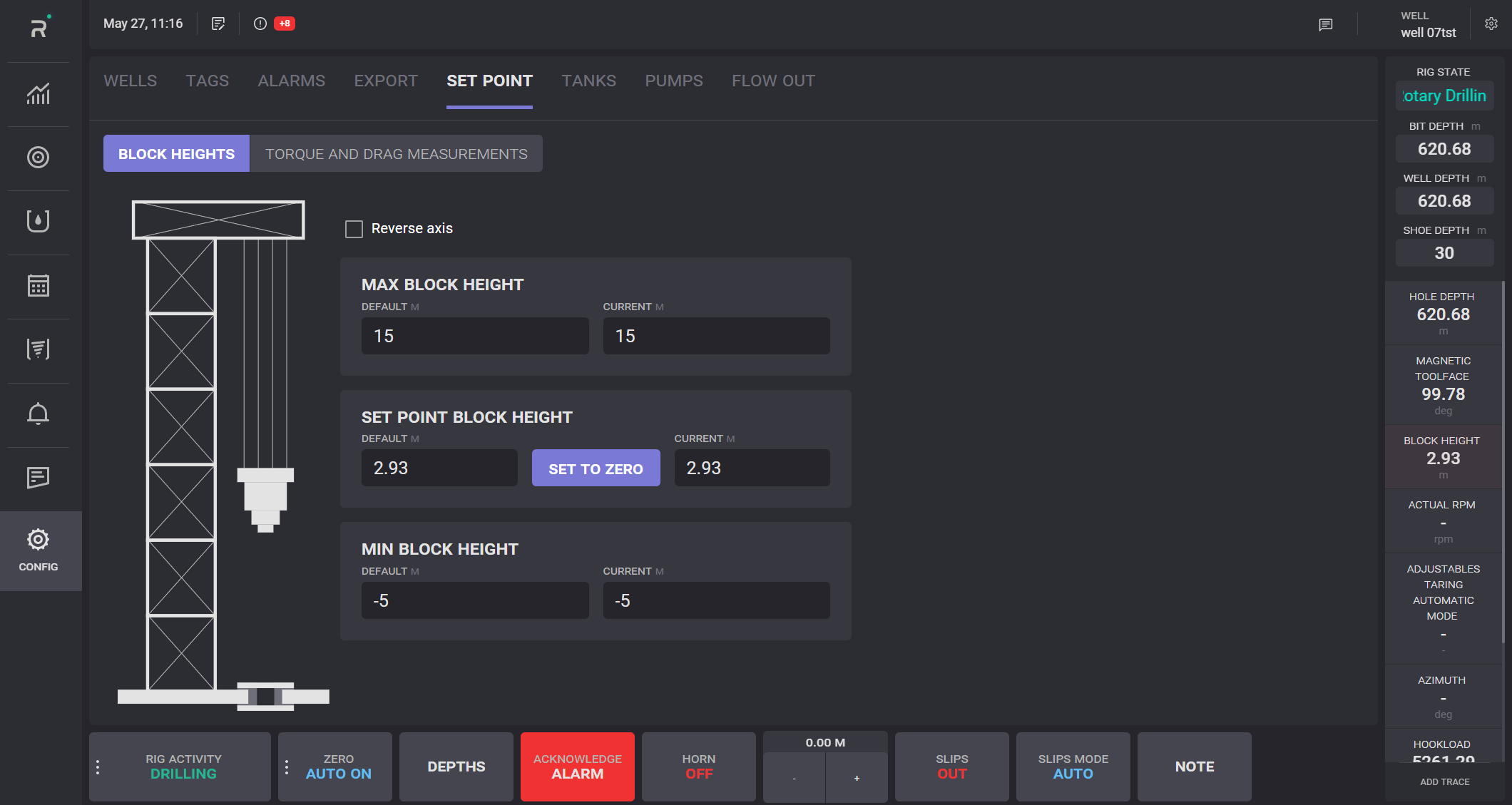
On the Set Point tab displayed default and current values for the maximum, present (set point), and minimum block height. It is possible to define actual block height as zero.
Click on the Set to Zero button and current value of the block height become 0. The default value in this case will be equal to shift. Minimum and maximum block height values will be adjusted respectively according to new 0.
To invert minimum and maximum parameters, tick the Reverse axis checkbox.
Torque and drag measurements
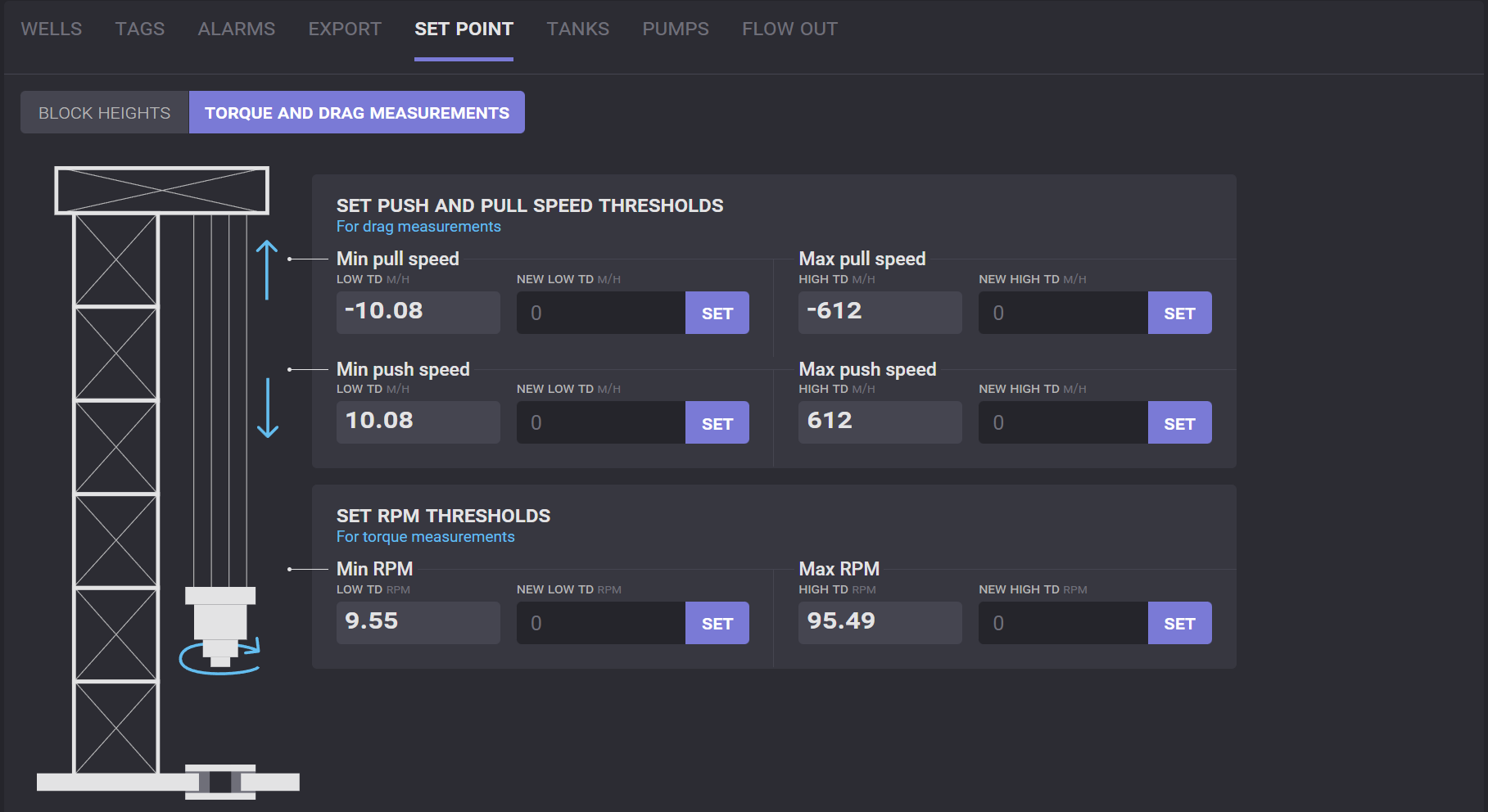
On the torque and drag measurements tab the push and pull speed, and RPM thresholds values can be defined. To define a new value, enter it in the corresponding field and click on the Set button.