

The list of pumps can be viewed and managed on the Pumps tab in the Configuration.
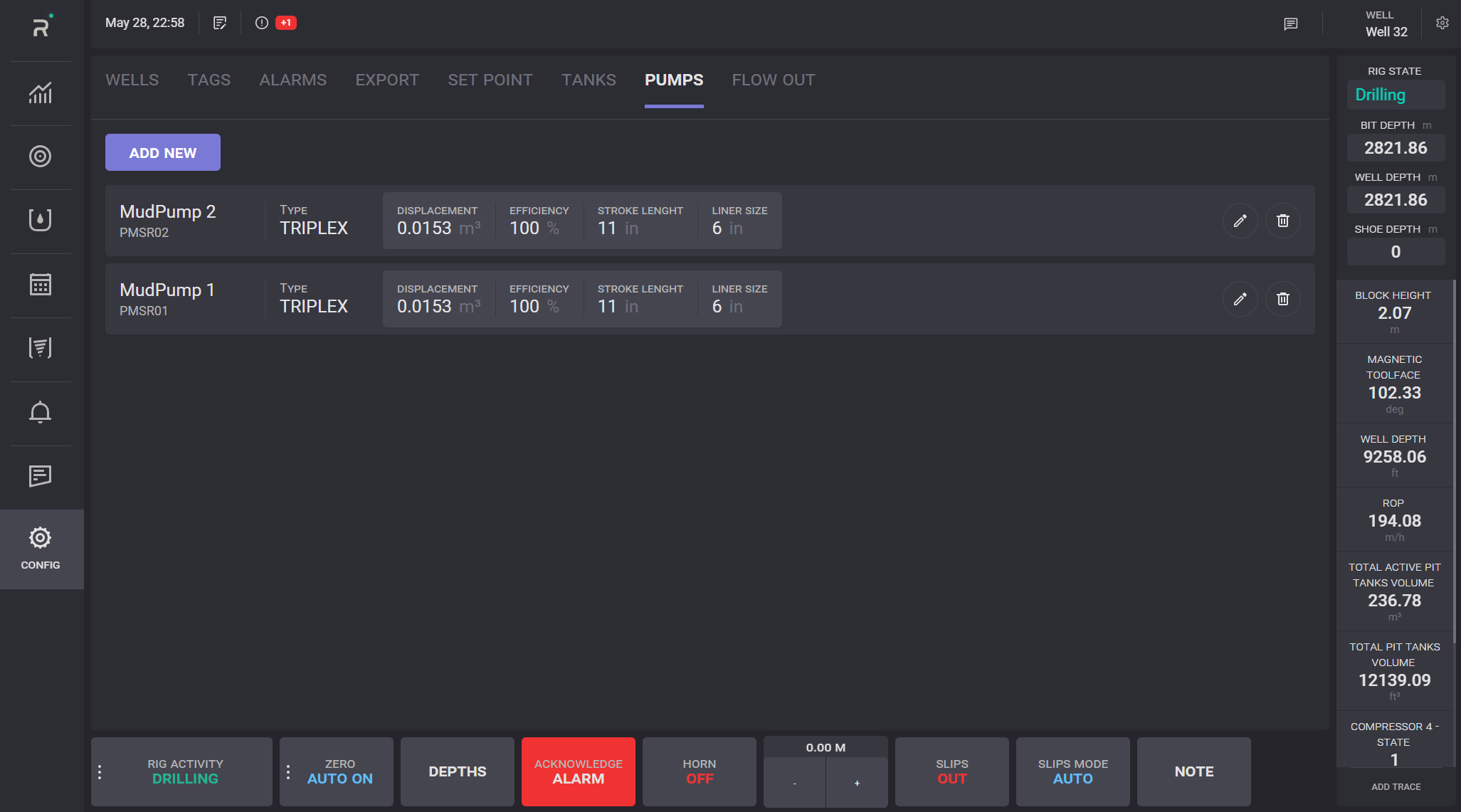
To create a pump, click on the Add New button. In the opened dialog, enter the pump name, select the tag, and define the pump type and displacement value.
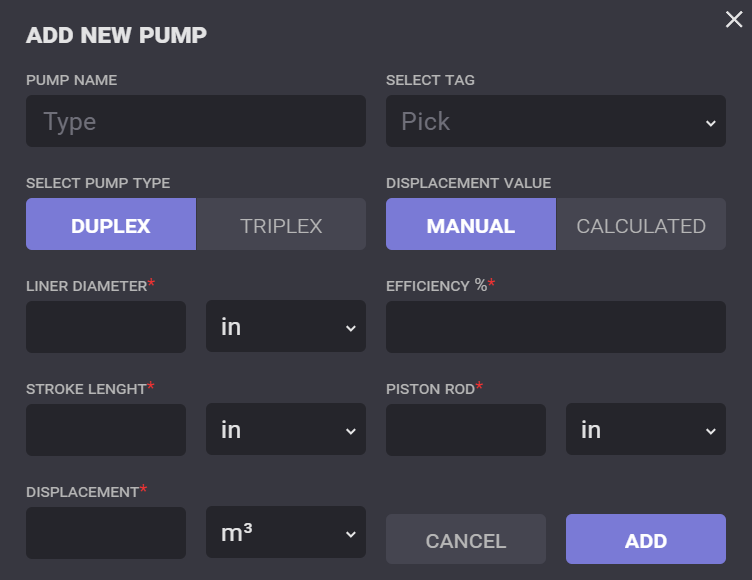
Enter the liner diameter, stroke length, displacement, efficiency, and piston rod values of the pump. A new pump will be created on click on the Add button in the dialog.