

The Tally Sheet is used to record the length of tubular joints being run into boreholes. Created Tally Sheet allows to track the pipe strings and casing strings inserted into the hole and to determine actual assembly set depth using the total length of run joints.
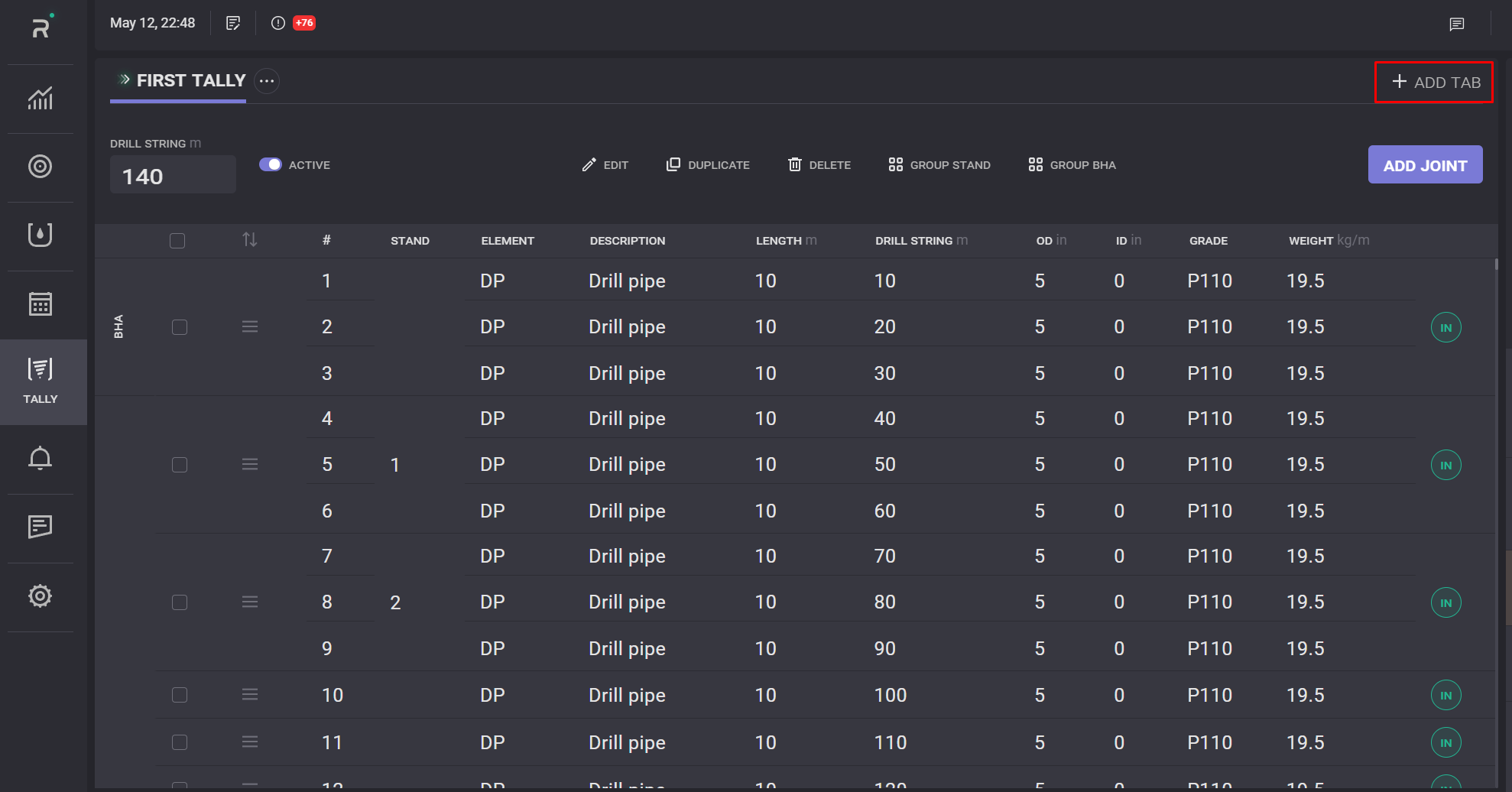
To create a New Tally Sheet tab click on the Add tab button on the top panel of the page. In the opened Add Tally Sheet modal window enter the title of the tab. New tab will be created on click on Save button.
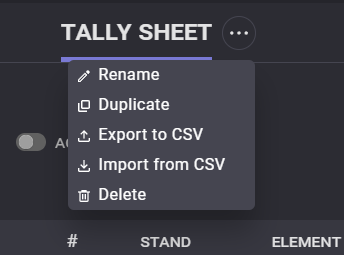
Tally Sheet can be renamed, duplicated, exported to .csv, imported from .csv or deleted from the options menu. Click on “…” next to tally sheen title to expand options drop-down.
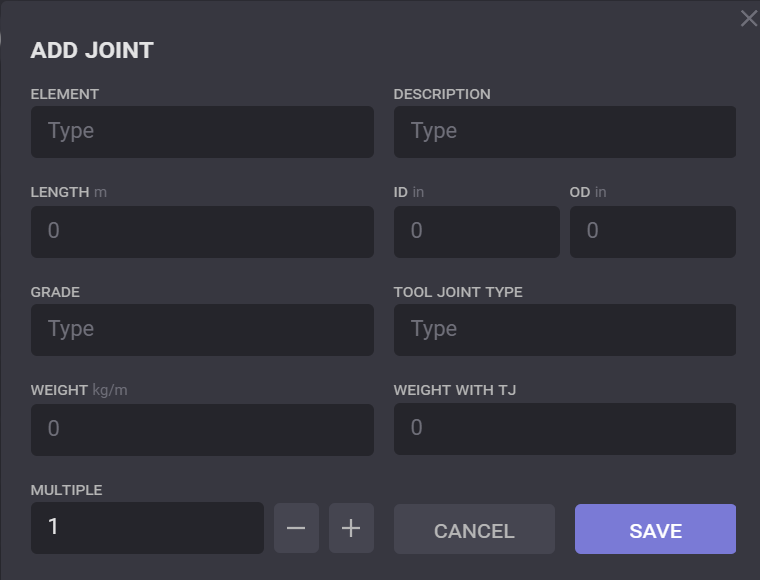
The Tally Sheet represents the table of the joints. To add the pipe to the table click on the Add joint button. In the opened Add joint modal window fill in the element, description, length, inner diameter (ID), outer diameter (OD), grade, tool joint type, weight, weight with TJ, and click on Add button. New items will be added to the table. To edit added pipe pick it in the table by selecting the check-box and click on the Edit button at the top panel. All pipe parameters can be changed in the opened modal window.
Added pipes can be duplicated by selecting its check-box in the list and clicking the Duplicate button. In the opened drop-down list select the option where the pipe copies should be added: below the selected item or to the end of the list. Several pipes can be duplicated.
To delete pipe from the list select its check-box in the list and click the Delete button on the top panel.
Pipes can be grouped to the stand. To do so select the necessary pipes in the list and click on the Group stand button. The pipes will be arranged into the group and a stand number will be assigned to it.
Added items to the list can be reordered by drag and dropping. Put a cursor to the icon next to pipe ID, hold the line and drag it to the necessary place.
The Tally sheet can be exported to the .csv format file by clicking on the Export button on the top panel. In the opened window select the folder on the machine to export the report and specify the file name.
An excel or .csv file can be imported to the pipes list on the Tally sheet page. Click on the Import button and expand the folder with the necessary file. Select the file in the list and click on the Import button. Preview of importing file will be opened. The list of the files with all specified in the file data will be presented in the window.
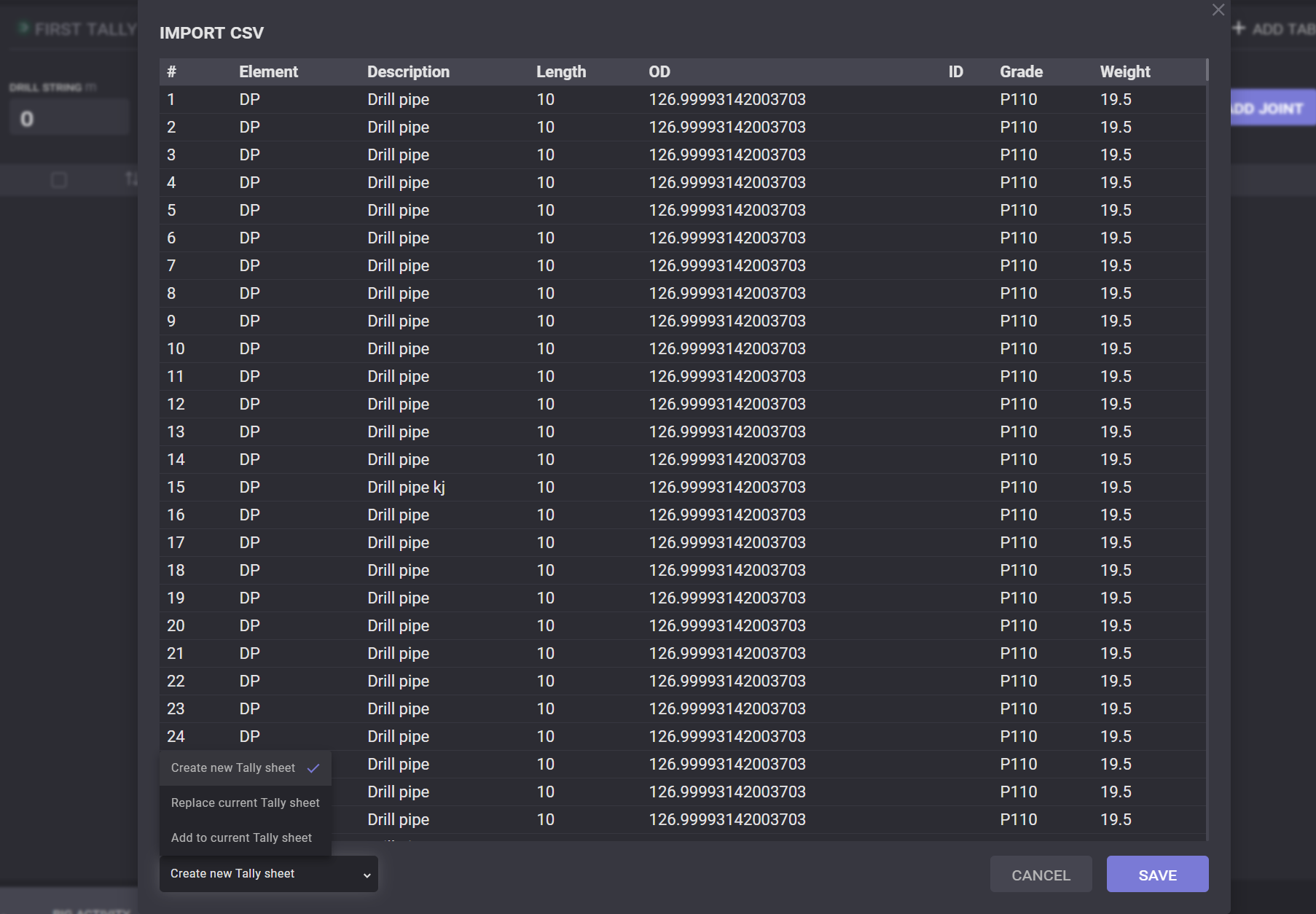
In the left bottom corner can be selected import parameters:
-
create new tally sheet - the file will be imported to the new tab that will be automatically created;
-
add to the current tab - importing file will be added to the current tab;
-
overwrite the current tab - importing data will replace the currently added data to the tab.
At the top of the Tally tab presented the number of pipes that moved down to the borehole and its total length value. To mark the pipe as moved down click on the triangle icon in the right upper corner. The row with pipe information will be highlighted in light purple.

Note: the pipes in the table can be marked one by one.
Adjust length option on the Tally sheet allow to adjust actual drilled hole depth length and length added pipes or casings.